

Installing Downloader on your Amazon Firestick is a simple way to download files and access apps that may not be available directly through the Amazon Appstore. The Downloader app is widely used on Fire TV devices and makes the app installation process quick and straightforward.
In this guide, we’ll show you how to install Downloader on Firestick step by step, from finding the app in the Amazon Appstore to downloading, installing, and opening it for the first time. Follow the steps below to get Downloader installed and ready to use.
IN THIS GUIDE
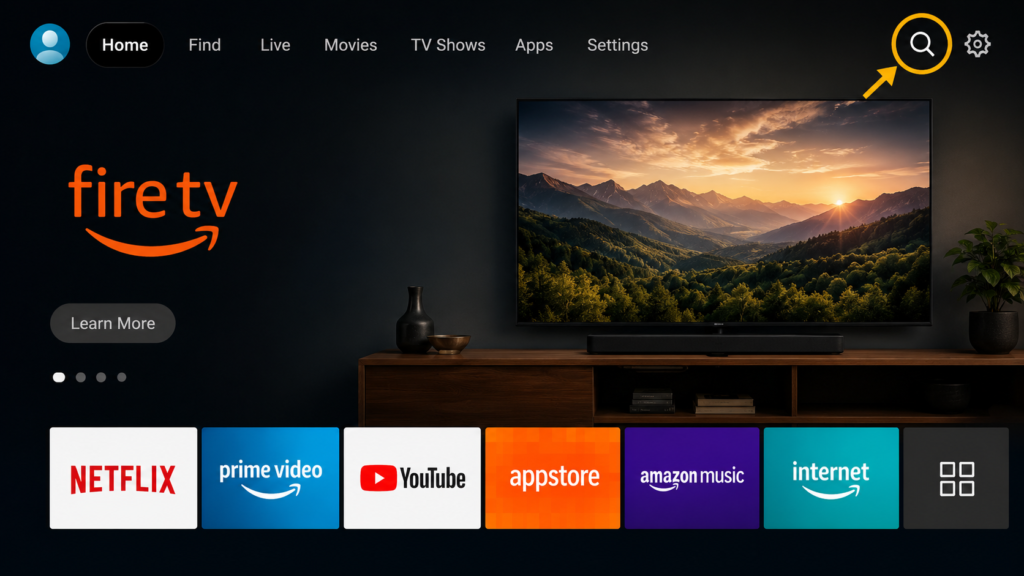
Step 1: Turn on Firestick and Open the Search Option
- Start your Amazon Firestick and go to the home screen.
- Select the Search icon from the menu.
Step 2: Search For Downloader
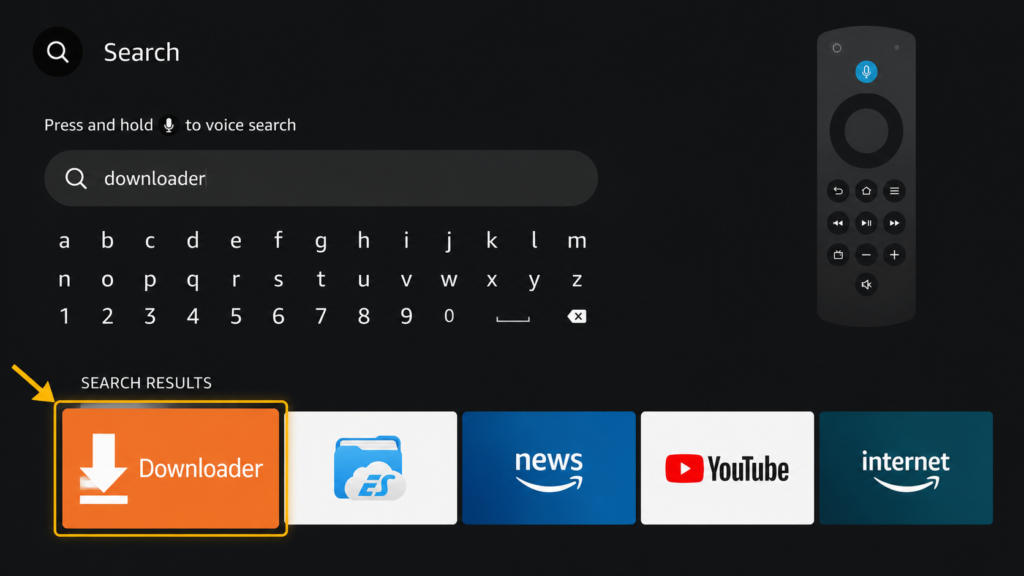
- Using the Firestick search feature, type: Downloader
- Select the Downloader app from the search results.
Step 3:Download and Install Downloader
- Select the Downloader application and choose Download or Get.
- Wait for the installation to finish.
- Once installed, select Open.
