

After installing Downloader on your Amazon Firestick, you’ll need to complete a few simple settings before you can use it to download and install apps. This includes allowing permissions, enabling Developer Options, and turning on Apps from Unknown Sources.
In this step-by-step guide, we’ll show you how to set up Downloader on Firestick and configure the necessary settings so the app is ready to use.
IN THIS GUIDE
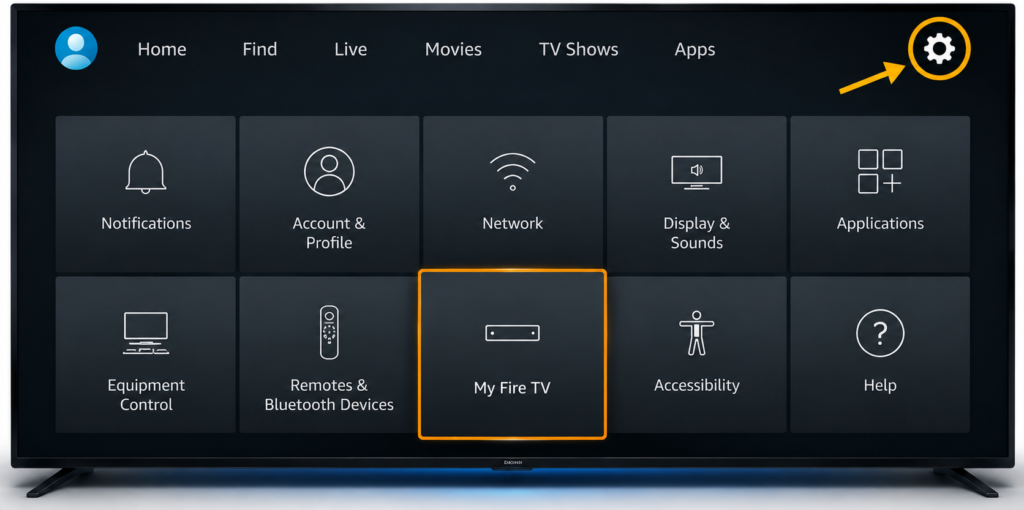
Step 1:Open Firestick Settings
- Return to the Firestick home screen.
- Select the Settings icon.
- Then open: My Fire TV
Step 2: Open Developer Options
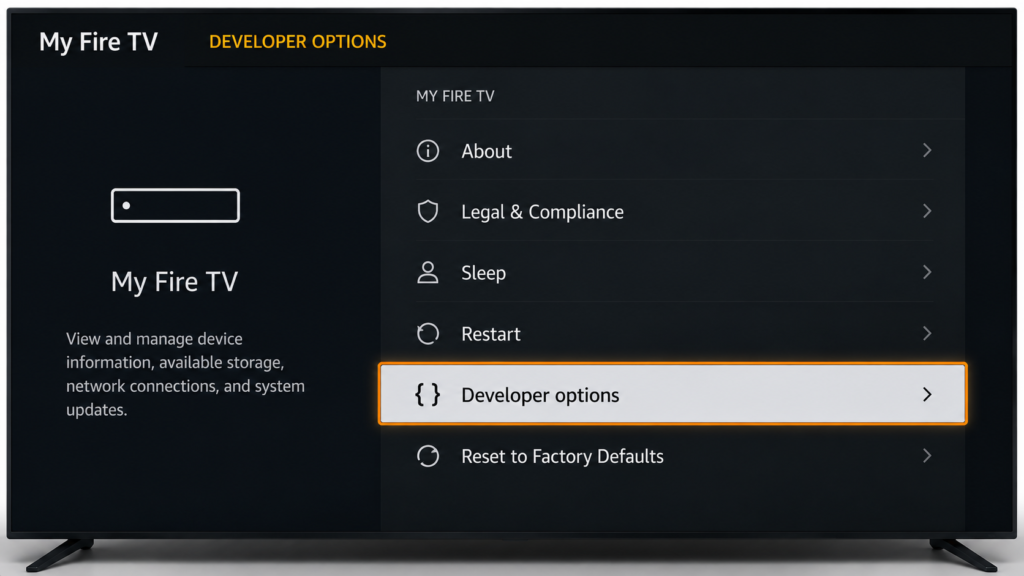
- Inside My Fire TV, select: Developer Options
- Depending on your Firestick version, this option may appear differently
Step 3: Allow Downloader to Install Apps
- Find the option for installing apps from unknown sources.
- Select Downloader and turn the permission ON.
- This allows Downloader to install an application that is not downloaded directly from the Amazon Appstore.
